Answers that stay
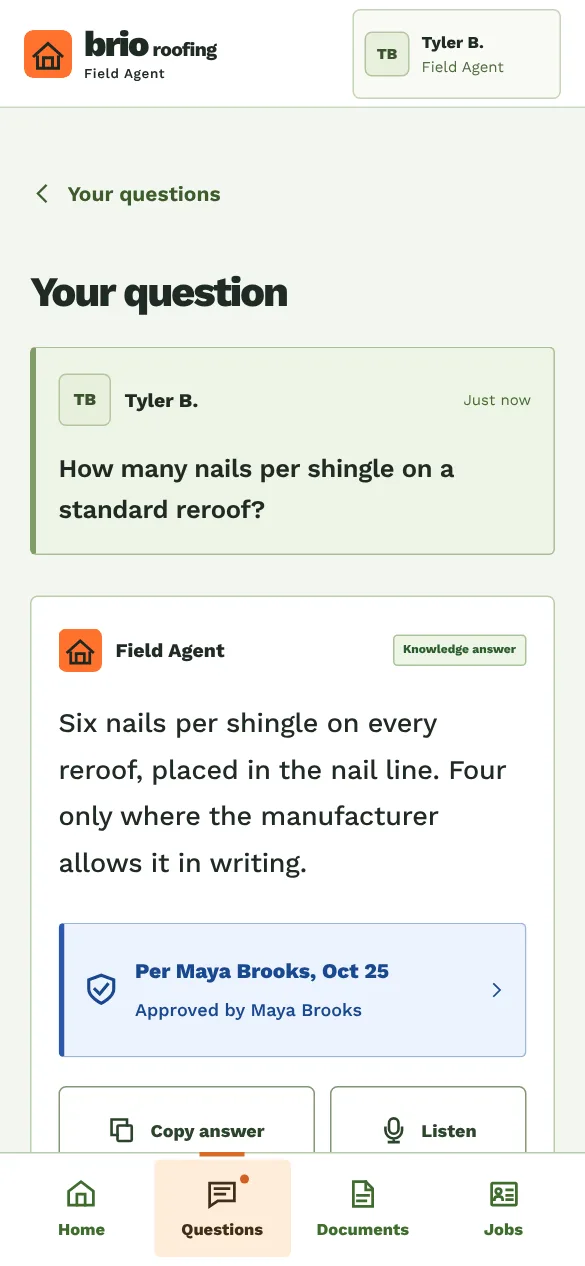
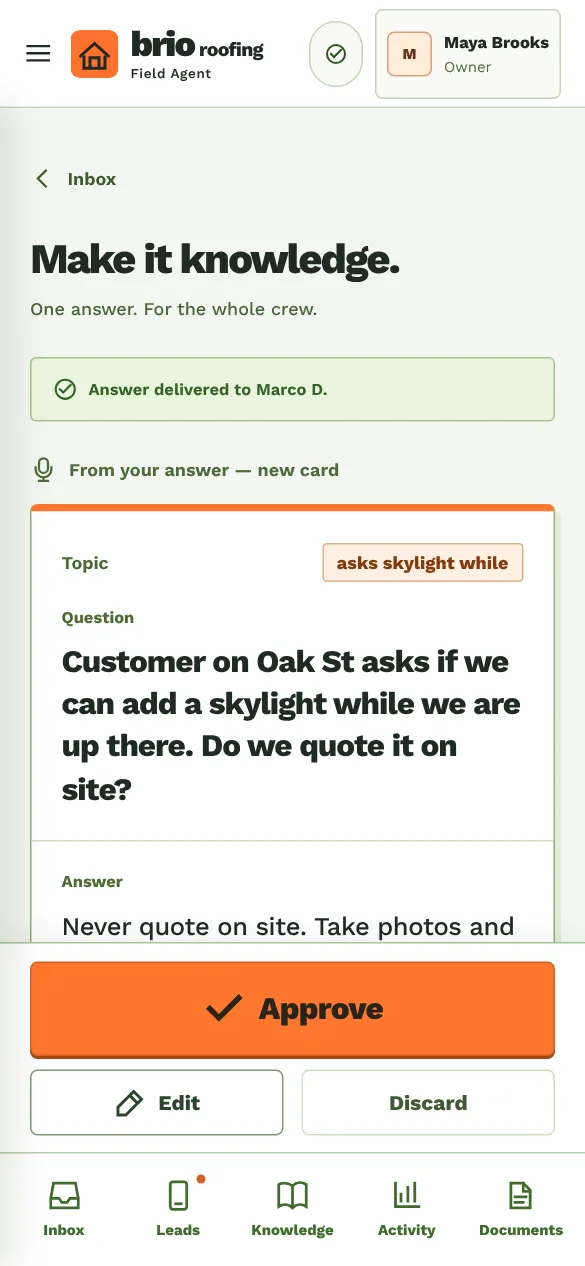
An employee asks from the job. You reply by typing or talking. Approve it once, and the next person who asks gets your answer, with your name on it.
For service businesses
The smart assistant for your team and your customers
Less phone time. More work done.
MaestroCrew takes the repeat questions, urgent calls and new leads off your plate. Your employees get answers, jobs and documents on their phones, and your customers get a fast reply.
How it helps
MaestroCrew sits between you, your employees and your customers. It answers what you already answered, brings you only what needs you, and keeps everyone working from the same information. Built with a working roofing company, for any business with a team out at jobs.
An employee asks from the job. You reply by typing or talking. Approve it once, and the next person who asks gets your answer, with your name on it.
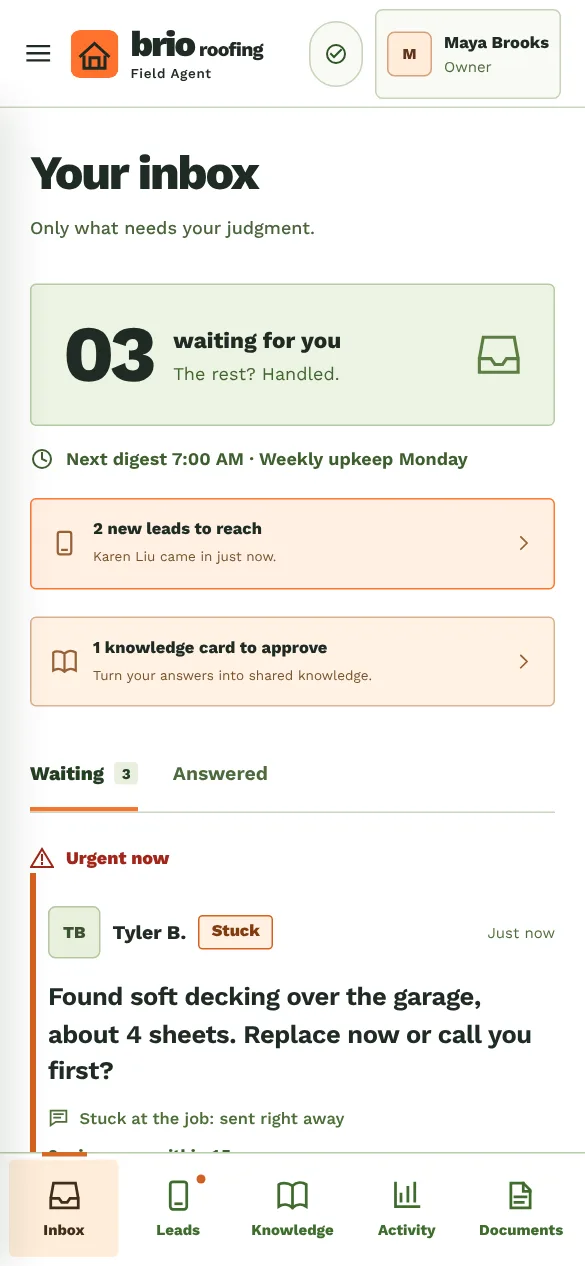
“Emergency or safety” and “I’m stuck now” alert your phone right away, and the employee gets a Call button. Everything else waits for the times you choose.
It answers only from what you approved and shows where each answer came from. Questions that need your judgment always come to you.
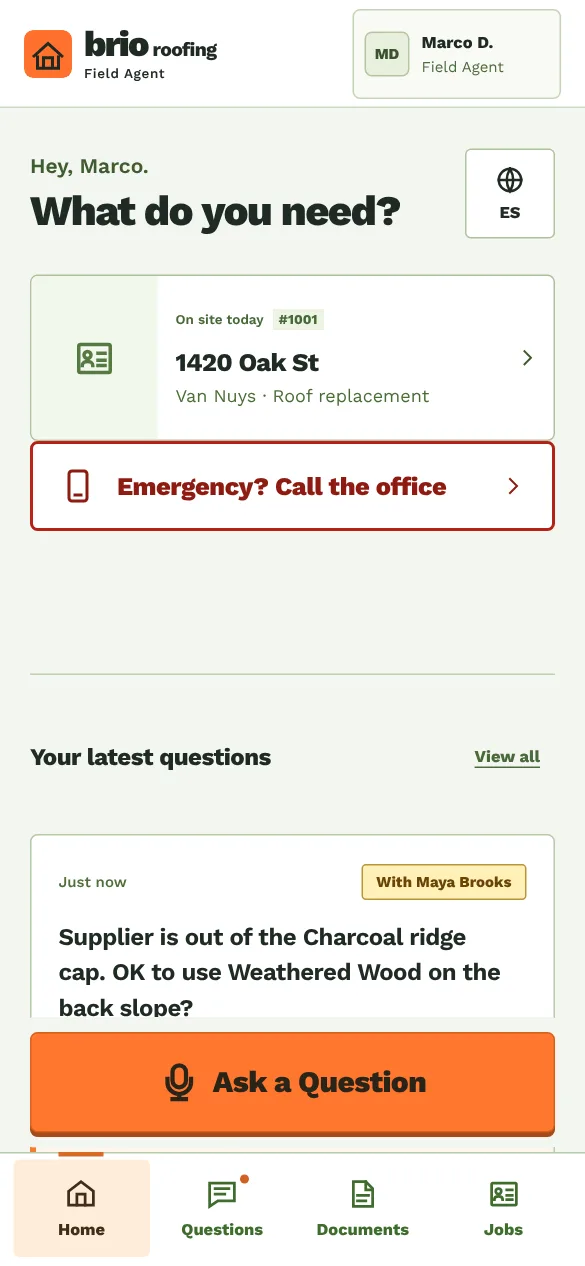
Today's job, its address, the customer's phone and your notes on each employee's Home. They start it, complete it and leave notes; you see who did what.
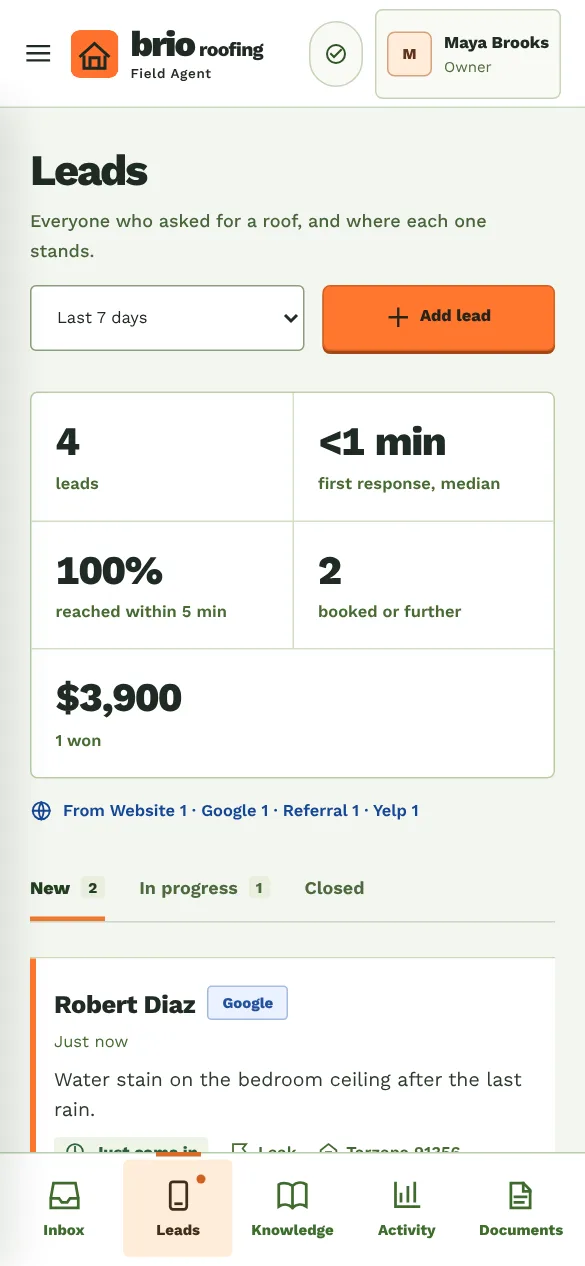
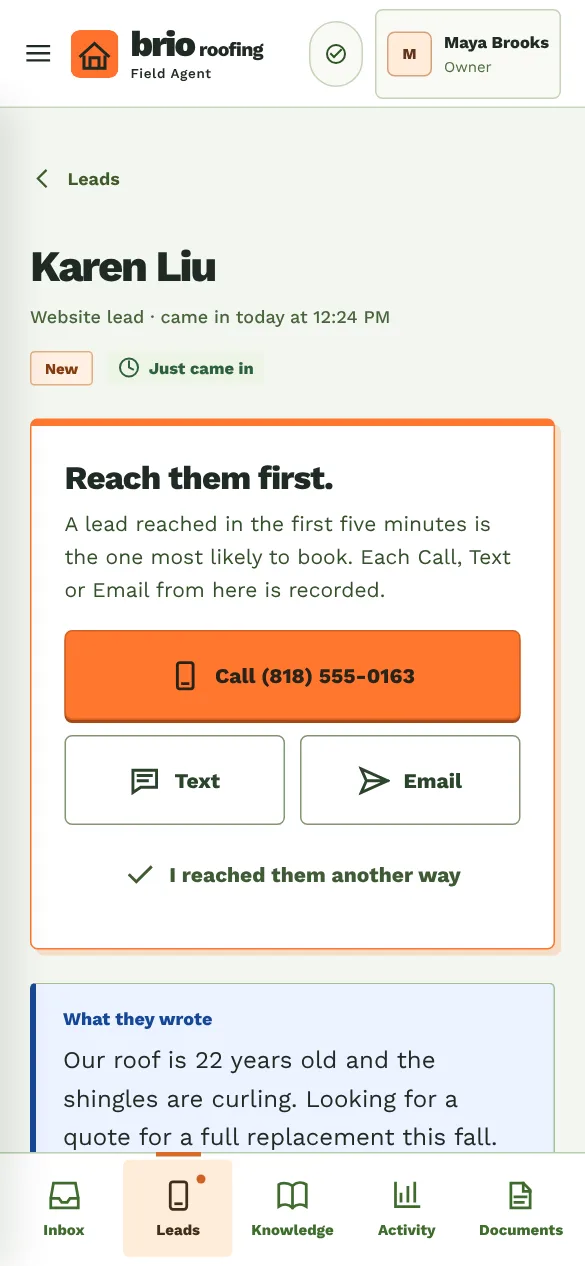
Leads from your website and your phone line land in one place and alert you. Call, text or email in one tap, and see how fast each one was reached.
The insurance certificate on your team's phones, the W-9 only for you. Payment details your team copies for a customer; any change waits 24 hours.
The app
Real screens of Brio Roofing, a sample company: its people, jobs and leads are made up. Your employees get the app on their phones, in English or Spanish, and it works without signal.
For you
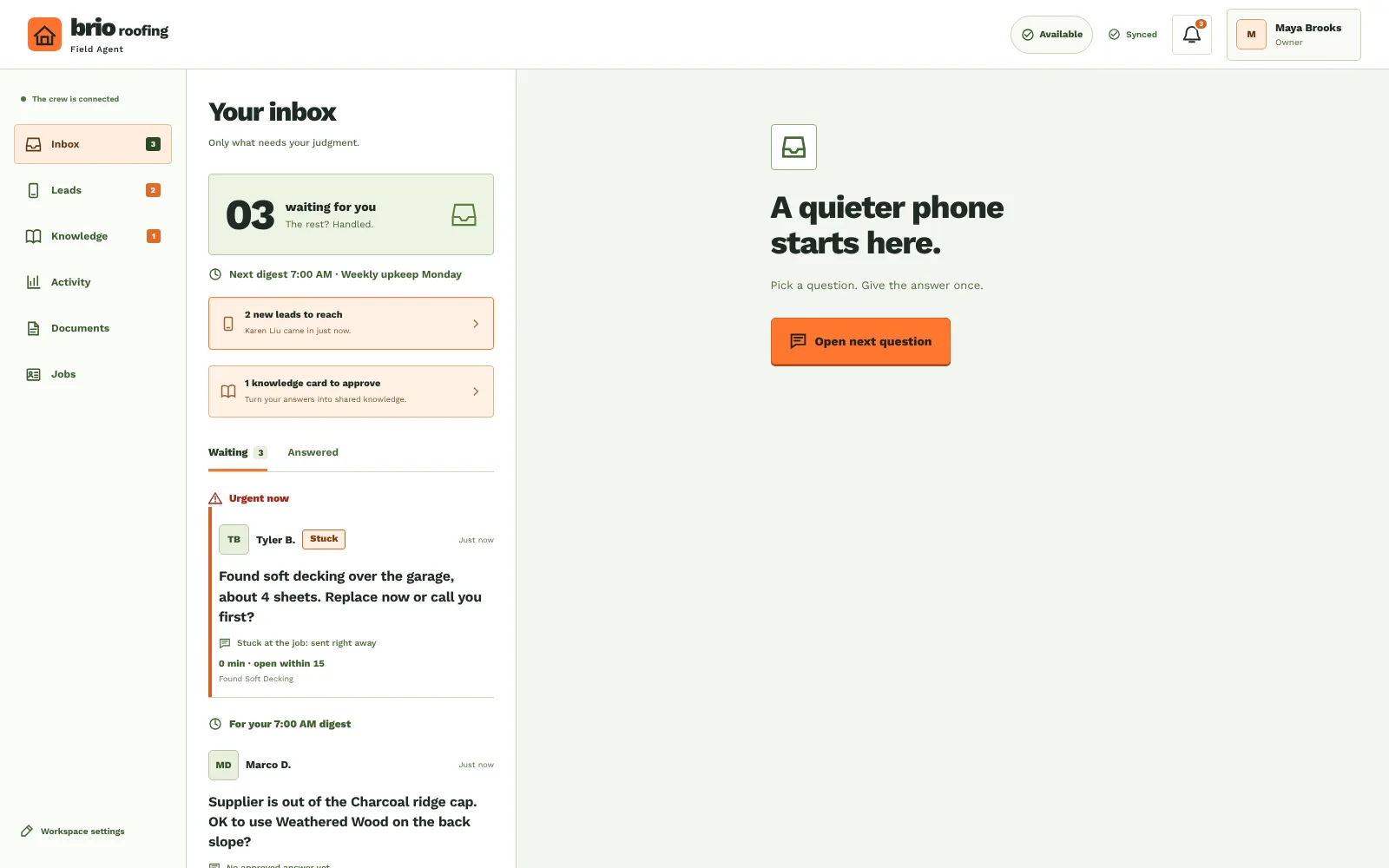
The same app on a computer: questions waiting, your answers, jobs, leads, documents, and the numbers of the last 7 and 30 days.
Your business gets its own address, and its own app on your team's phones.
Getting started
We check every business before it gets its own address.
Sign in with your Google account and tell us about your business.
Your license, website and office phone, before anything goes live.
Your business gets its own address and app. You sign in there with Google.
A link for each employee, sent by you. They can sign in with Google too.
Plans
Billed monthly in US dollars. Every plan starts with 14 days free, and you can cancel at any time.
$79 a month. A team trying it on real jobs.
$199 a month. A business running its teams on it.
Questions
Businesses with a team out at jobs and customers to answer: contractors, roofers, installers, cleaning and maintenance companies. It started with a working roofing company.
No. It answers only from what you approved, and shows where each answer came from. Anything new comes to you.
Pilot is $79 a month for up to 10 people, Standard $199 a month for up to 30. Every plan starts with 14 days free, and you can cancel at any time.
Yes. Answers already on the phone stay available, and what the crew does offline is sent when the signal is back. Files open with signal.
No. Where the phone's browser supports it, you can talk and the app writes it down. You check it before it goes out.
Each employee picks English or Español. Your answers reach them in your own words, and the app says when you wrote it in English.
With the link you send each person, or with Google once you add their email. There are no passwords.
Yes. Settings has a download of all your business's data, and every business is backed up every night.
Each employee sees their own questions, the answers you approved, their jobs and the documents you share. Amounts, leads and the W-9 are yours.
Ask for access
Sign in with Google, tell us about your business, and we get back to you at that email.